
Hinzugefügt
- Gotha T57
- Gotha B57
- Gotha T57+B57+B57 (fehlgeschlagener Versuch, Lotus-Bugs zu viewAppen)


Hinzugefügt
Projekttyp/Type of project: Fahrzeug/Vehicle
Projektname/Name of Project: Turbobastard
Beteiligte Personen/Involved Persons: Kartoffelphantom
Projektdetails/Details:
Entwickelt speziell für die Bahnstrecke Děčín–Dresden waren die 35 Fahrzeuge der Bauform ES499.2 schon immer eine Splittergattung. Da sie nun immer weiter von moderneren Mehrsystemlokomotiven abgelöst werden, soll ihnen hiermit ein virtuelles Denkmal gesetzt werden. Bei der DR unterwegs als BR 230, bei der DB einklassiert als BR 180, findet man sie mittlerweile nur noch als BR 371/372 bei der ČD sowie privaten Unternehmen im Einsatz.
Zum aktuellen Stand ist die Lok von außen so gut wie fertiggestellt, lediglich der Innenraum lässt stellenweise noch etwas zu wünschen übrig. Grundsätzlich kann mit der Lok aber bereits normal gefahren werden. Einige Hinweise zur Bedienung finden sich unten. Viel Spaß.
Developed especially for the Děčín-Dresden railroad line, the 35 vehicles of the ES499.2 design have always been a splinter class. As they are now increasingly being replaced by more modern multi-system locomotives, a virtual monument is to be erected to them. In service with the DR as BR 230, classified by the DB as BR 180, they can now only be found in service as BR 371/372 with ČD and private companies.
As of now, the exterior of the locomotive is almost complete, although the interior still leaves some room for improvement in some areas. However, the locomotive is basically ready to run. Some operating instructions can be found below. Have fun!
Bilder/Images:
Link zum Kommentar-Thread hier im Forum: Knödelpresse - Kommentare
Link zum Eintrag im Steam-Workshop: Knödelpresse
Hinweise zur Bedienung/Instructions for Usage:
1. Schalter Steuerstrom einschalten
2. Schalter Kompressor auf "Hiko" stellen
3. Warten, bis Hauptluftbehälterdruck auf 5 bar gestiegen ist
4. Schalter Stromabnehmer in gewünschte Position bringen
5. Am Schalter HS System das Stromsystem vorwählen (derzeit nur Wechselspannung ~)
6. Hauptschalter einschalten (Schalter HS System auf "Ein" drehen)
(7. Unter Wechselspannung Schalter Wechselrichter einschalten)
8. Schalter Kompressor auf "Aut" stellen
9. Signallichter einschalten
10. Beide Handbremsen lösen (jeweils Führerstandrückwand)
11. Richtungswahlschalter in Stellung "V" (eine Raste vor) schalten
12. Bremse lösen
Bei Reisezügen muss ggf. die Zugsammelschiene (Schalter Zug-Hzg.) eingeschaltet werden, um die Waggons mit Strom zu versorgen.
1. switch on the control current switch
2. set compressor switch to "Hiko"
3. wait until the main air tank pressure has risen to 5 bar
4. move the current collector switch to the desired position
5. preselect the power system at the HS system switch (currently only AC voltage ~)
6. switch on the main switch (turn the HV system switch to "On")
(7. switch on the inverter under AC voltage)
8. set compressor switch to "Aut"
9. switch on the signal lights
10. release both hand brakes (rear wall of driver's cab)
11. set the direction selector switch to the "V" position (one notch forward)
12. release the brake
On passenger trains, the train busbar (train heating switch) may have to be switched on to supply the carriages with power.
Zum Fahren muss eine Fahrtrichtung vorgewählt werden. Dazu muss der Richtungswahlschalter in die entsprechende Stellung gebracht werden. Dieser verfügt über die Rasten R, 0, V, I, II, III, IV und V, wobei es sich bei letzteren um Shuntierungsstufen handelt.
Die Lok verfügt über 47 Fahrstufen, die mit dem Fahrstufenhebel angesteuert werden können. Bei Fahrstufe 1 handelt es sich um eine reine Vorbereitungsstufe, es wird noch keine Leistung aufgeschaltet. Die Fahrstufen 28 und 47 sind Dauerfahrstufen. In diesen beiden Fahrstufen können fünf Shuntierungsstufen zur Zugkrafterhöhung zugeschaltet werden. Dazu wird der Richtungswahlschalter über die Stufe V hinaus in Fahrtrichtung bewegt. Um weitere Fahrstufen auf- oder abzuschalten, muss der Richtungswahlschalter wieder in Stellung V gebracht werden.
Mit Betätigung des Tasters "Ab-Regelung" läuft das Schaltwerk automatisch bis Stufe 28 bzw 0 ab.
Die Lok verfügt über zwei Bremssysteme: Mechanische Klotzbremsen und elektrodynamische Bremsen. Diese lassen sich auf drei Arten bedienen.
Die direkte Bremse (oben rechts auf dem Fahrpult) steuert nur die Klotzbremsen der Lokomotive selbst an (roter Zeiger Bremszylinder).
Der Schalter "EDB" (rechts neben dem Fahrstufenschalter) erzeugt einen Vorsteuerdruck (schwarzer Zeiger Bremsylinder) zur Bedienung der elektrodynamischen Bremse.
Das Führerbremsventil (unten rechts) senkt den Druck in der Hauptluftleitung ab (schwarzer Zeiger HBL) und bremst damit den gesamten Zug. Über 30 km/h nutzt die Lok dabei die elektrodynamische Bremse, darunter die Klotzbremsen.
Bei nicht genutzten Führerständen sollte das Führerbremsventil in der Absperrstellung stehen. Diese befindet sich in der neunten Raste zwischen der letzten Bremsstellung und der Schnellbremsstellung. Dadurch wird das Nachspeisen in die Hauptluftleitung verhindert und die Bremsen können über ein anderes Bremsventil gesteuert werden.
Zur Türbedienung bei Reisezügen gibt es eine seitenselektive Türsteuerung. Mit dem Taster "TO" können die Türen auf einer Seite freigegeben werden. Der Taster "TZ" sendet einen einmaligen Impuls zum Türenschließen, die Rückstellung des Schalters "TO" in Grundstellung hält die Türen dauerhaft geschlossen (TB0).
A direction of travel must be preselected for driving. To do this, the direction selector switch must be set to the appropriate position. This has the buttons R, 0, V, I, II, III, IV and V, whereby the latter are shunting steps.
The locomotive has 47 speed steps which can be controlled with the speed step lever. Speed level 1 is purely a preparatory level, no power is yet applied. Speed levels 28 and 47 are continuous speed levels. Five shunting stages can be activated in these two speed levels to increase tractive effort. To do this, the direction selector switch is moved beyond level V in the direction of travel. To switch further speed levels on or off, the direction selector switch must be moved back to position V.
When the “Down control” button is pressed, the switching mechanism automatically runs down to speed level 28 or 0.
The locomotive has two braking systems: mechanical block brakes and electrodynamic brakes. These can be operated in three ways.
The direct brake (top right on the control panel) only controls the block brakes of the locomotive itself (red brake cylinder pointer).
The "EDB" switch (to the right of the speed step switch) generates a pilot pressure (black brake cylinder pointer) to operate the electrodynamic brake.
The driver's brake valve (bottom right) reduces the pressure in the main air line (black pointer HBL) and thus brakes the entire train. Above 30 km/h the locomotive uses the electrodynamic brake, below this the block brakes.
When the driver's cabs are not in use, the driver's brake valve should be in the shut-off position. This is located in the ninth notch between the last brake position and the emergency brake position. This prevents the air from being fed into the main air line and the brakes can be controlled via another brake valve.
There is a side-selective door control for door operation on passenger trains. The doors on one side can be released using the "TO" button. The "TZ" button sends a one-off impulse to close the doors; resetting the "TO" switch to the home position keeps the doors permanently closed (TB0).
1. Drehschalter VZ LS 90 auf "Start" stellen
2. Drehschalter VZ LS 90 auf "Provoc" stellen
1. set rotary switch VZ LS 90 to "Start"
2. set rotary switch VZ LS 90 to "Provoc"
Bei blauem Licht keine Quittierung nötig
nach Erlöschen des blauen Leuchtmelders Quittierung erforderlich (Taster "Sifa" oder Bedienhandlung)
Leuchtet ein weiterer außer dem blauen Leuchtmelder, ist die LS 90 aktiv. Diese zeigt das Signalbild des nächsten Hauptsignals an.
Grüner Punkt: Fahrt mit vmax, Wachsamkeitskontrolle entfällt
Gelber Punkt: Halt erwarten, vmax = 120 km/h
Gelber Kreis: Halt erwarten, vZiel = 40 .. 100 km/h
Roter Punkt blinkt: Halt erwarten mit verkürztem Bremsweg
Roter Punkt leuchtet: Halt, vZiel = 0 .. 30 Km/h
No acknowledgement required when the blue light is on
Acknowledgement required after the blue indicator light goes out ("Sifa" button or operating action)
If another indicator other than the blue one lights up, the LS 90 is active. This shows the signal image of the next main signal.
Green dot: Travel at vmax, vigilance check not applicable
Yellow dot: Expect stop, vmax = 120 km/h
Yellow circle: Expect stop, vTarget = 40 ... 100 km/h
Red dot flashes: Expect stop with reduced braking distance
Red dot illuminated: Stop, vTarget = 0 .. 30 km/h
1. Vorwahlschalter auf "BRA" stellen
2. An Zahlenrädchen Bremsart einstellen
3. Taster "Übernahme" drücken
4. Vorwahlschalter auf "BRH" stellen
5. An Zahlenrädchen Bremshundertstel (Hunderter- und Zehnerstelle) einstellen
6. Taster "Übernahme" drücken
Zur einfachen Auswahl
BRA = 5
für Zugart U: BRH = 5
für Zugart M: BRH = 8
für Zugart O: BRH = 15
Hinweis: Aus Gründen, die mir nicht ganz klar sind, funktionieren PZB und LS 90 derzeit nur bei Fahrt mit Führerstand 1 voraus.
1. set the preselection switch to "BRA"
2. set the brake type on the numeric wheel
3. press the "Accept" button
4. set the preselection switch to "BRH"
5. set the braking hundredths (hundreds and tens digit) on the number wheel
6. press the "Accept" button
For easy selection
BRA = 5
for train type U: BRH = 5
for train type M: BRH = 8
for train type O: BRH = 15
Note: For reasons that are not entirely clear to me, PZB and LS 90 currently only work when driving with cab 1 ahead.
Entwicklerinformationen/Information for content creator:
Modulslots
Die Lok verfügt über mehrere Modulslots, unter anderem für Zugfunk, Fahrplanbücher und so weiter. Da die meisten Module noch nicht fertig sind, kann ich auch noch keine finale Schnittstellenbeschreibung dafür veröffentlichen. Details folgen, wenn es so weit ist. Wer bis dahin schon Fragen hat, kann sich gerne bei mir melden.
The locomotive has several module slots, including train radio, timetable books and so on. As most of the modules are not yet ready, I cannot yet publish a final interface description for them. Details will follow when they are ready. If you have any questions until then, please feel free to contact me.
Das Fahrzeug ist mit PZB und LS90 ausgerüstet. Beide Sicherungssysteme folgen dem Lotus-Standard. Damit die Systeme nutzbar sind, müssen Bahnstrecken entsprechend ausgerüstet sein.
The vehicle is equipped with PZB and LS90. Both safety systems follow the Lotus standard. For the systems to be usable, railroad lines must be equipped accordingly.
 Dies ist der Kommentarthread zum Addon: Knödelpresse
Anmerkung:
Ich bin/Wir sind offen für jedwede Art von konstruktiver Kritik. Sie darf mich/uns nicht angreifen und meine/unsere Arbeit nicht herabwürdigen.
Bitte formuliere Deine Kritik an meiner/unserer Arbeit
Da ich mich/wir uns natürlich auch über Lob freue/n, hilft mir/uns ein ausgeglichenes Verhältnis zwischen Lob und Kritik, die konstruktive Kritik besser zu verarbeiten. 
---
 This is the commentary thread concerning addon: Knödelpresse
Please note:
I am/We are receptive to every kind of constructive feedback. It must not hurt me/us and must not diminish my/our work.
Please write your feedback to my/our work so, as to be
Since I am/we are glad about any kind of compliment of my/our work, a balanced ratio of positive and negative feedback is greatly appreciated.
Eventuell bei dem Kantstein mal einstellen, dass er nicht geschnitten wird. Hilft bei mir.
Florian Das tritt bei meinen Kantsteinen auf, wo Mesh und Schneidemesh nicht exakt übereinander liegen. Vielleicht kannst du da noch mal nachschauen.
Projekttyp/Type of project: Fahrzeug/Vehicle
Projektname/Name of Project: Eisenbahnwaggons/Railway Wagons
Beteiligte Personen/Involved Persons: Kartoffelphantom
Projektdetails/Details:
Enthält zahlreiche Eisenbahnwagen aller Art. Einige sind noch nicht ganz fertig, die meisten aber schon brauchbar.
Contains multiple railway wagons of all kind. Some are not finished yet, but most of them are ready to use.
| Name | Typ | Varianten | Bemerkungen |
| Bme Y/B 70 | Abteilwagen 2. Klasse | ČD grün/green ČD blau/blue ČD Najbrt DR grün/green DR Städteexpress MÁV ZSSK |
Bilder/Images:
Link zum Kommentar-Thread hier im Forum: Eisenbahnwagen/Railway Wagons - Kommentare
Link zum Eintrag im Steam-Workshop: KPH Eisenbahnwagen/Railway Wagons
Um die Wagen ansteuern zu können sind spezielle Signale erforderlich, die über die SendToECoupler-Funktion übertragen werden. Eine Auflistung über die genutzten IDs, die erwarteten Wertebereiche und die Verfügbarkeit gibt es in dieser Textdatei: KPH_Kupplungsstandard.txt.
Nicht jeder Wagen reagiert auf jedes Signal. Güterwagen verfügen beispielsweise nicht über Strom- und Datenleitungen und geben diese Signale auch nicht weiter. Eine zweite Lok wird also nur angesteuert, wenn auch alle Wagen dazwischen über die dazu nötigen Kupplungen verfügen.
Sollte ich irgendwelche relevanten Signale vergessen haben, meldet euch gerne.
Dies ist der Kommentarthread zum Addon: Eisenbahnwaggons
Anmerkung:
Ich bin/Wir sind offen für jedwede Art von konstruktiver Kritik. Sie darf mich/uns nicht angreifen und meine/unsere Arbeit nicht herabwürdigen.
Bitte formuliere Deine Kritik an meiner/unserer Arbeit
Da ich mich/wir uns natürlich auch über Lob freue/n, hilft mir/uns ein ausgeglichenes Verhältnis zwischen Lob und Kritik, die konstruktive Kritik besser zu verarbeiten.
---
This is the commentary thread concerning addon: Railway Wagons
Please note:
I am/We are receptive to every kind of constructive feedback. It must not hurt me/us and must not diminish my/our work.
Please write your feedback to my/our work so, as to be
Since I am/we are glad about any kind of compliment of my/our work, a balanced ratio of positive and negative feedback is greatly appreciated.
Nagut. Einen Großteil habe ich Dir unten im Präsentationsbeitrag angehängt. Ich habe alle versucht, aber natürlich wieder was vergessen. Und die Oberleitungsmasten sind nur eine Auswahl.
Pfh10 Hat das funktioniert? Oder haben noch andere das gleiche Problem? Ich habe eigentlich alles wie immer gemacht. Nur ein Vorschaubild hat mir das ContentTool nicht gestattet. Die Container selbst sollten da sein.
Was würdest Du denn gerne sehen?
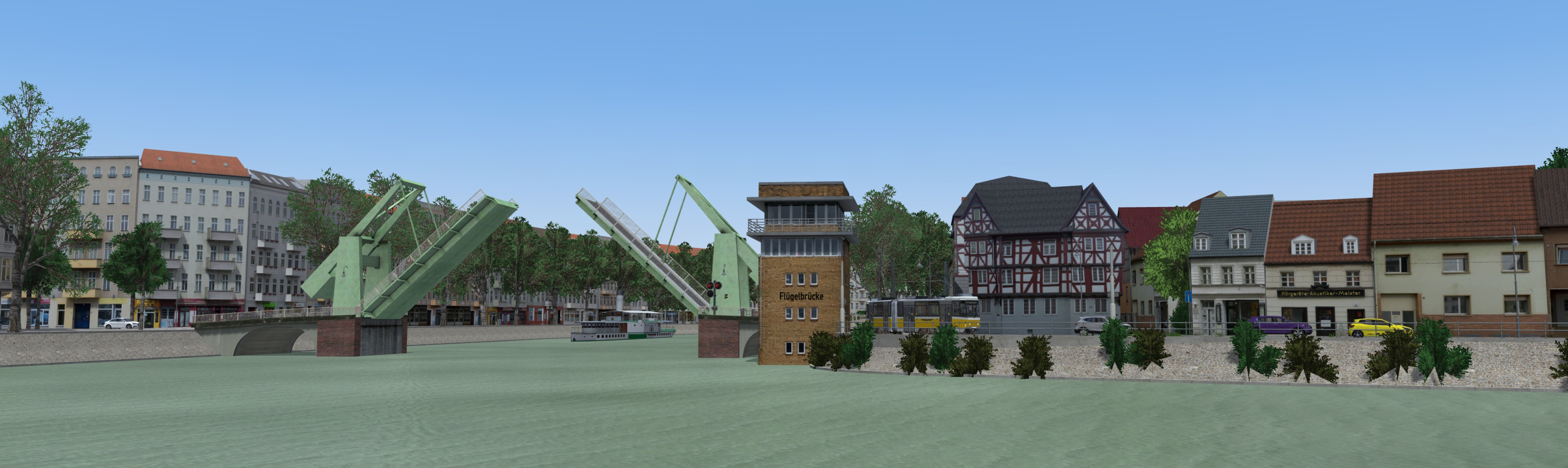
Gut. Ausgerechnet die Klappbrücke ist jetzt keine Eisenbahnbrücke, aber als einzige Straßenbrücke in meinem Brückencontainer ist sie halt in dieses Paket mit reingerutscht.
Projekttyp/Type of Project: Objekte
Projektname/Name of Project: Eisenbahnobjekte/Railway Objects
Beteiligte Personen/Involved Persons: Kartoffelphantom
Projektdetails/Details:
Allerlei Krams für den Bau von Bahnstrecken
Enthält:
Bahnhöfe
1 Bahnsteigkante
2 Güterbahnsteige
3 Bahnhofsgebäude
1 Güterschuppen
Betriebswerk
1 Drehscheibe
1 Ringlokschuppen
1 Wasserkran
Gleisbau
2 Schienentypen S49
3 Schwellentypen für S49
1 Brückeneindeckung für S49
1 Schienenkontakt
1 Gleismagneten PZB
2 Prellboecke
Oberleitung
4 Fahrleitungen
1 Flachmast
1 Winkelmast
1 Quertragwerk
1 Endmast
1 Spannwerk
1 Bastelset für Doppel-/Mehrgleisausleger
Bue4
Lf5
Lf6
Lf7
Ne3
Ne5
Ne6
Ra10
Hektometertafel
Kilometerstein
Streckenobjekte
2 Bahnschranken
1 Signalspannwerk
Ingenieurbauwerke
2 Tunnel
2 Tunnelportale
6 Brücken
5 Viadukte
1 Klappbrücke
Gerade Oberleitungsmasten gibt es in Realität ja in nahezu allen Größen. Die alle abzubilden wäre ein gigantischer Aufwand, weshalb ich bisher vorwiegend Masten mit Standardmaßen erstellt habe. Sollten Euch aber von den vorhandenen Objekten konkrete weitere Größen fehlen, dann reiche ich die gerne auf Anfrage nach.
Some stuff to create railway lines.
Contains
Stations
1 Platform Edge
2 Freight Platform Edges
3 Station Building
1 Goods Shed
1 Signal Box
Depot
1 Turntable
1 Roundhouse
1 Water Crane
Trackworks
2 Rail Types S49
3 Sleeper Types for S49
1 Bridge Covering for S49
1 Rail Contact
1 Track Magnet PZB
2 Buffer Stops
Catenary System
4 Overhead Lines
1 Flat Beam
1 Angle Beam
1 Gantry/Cross-wire System
1 End Mast
1 Wire Tensioner
1 Kit for Double-/Multi-Track Boom
Signals
Bü4
Lf5
Lf6
Lf7
Ne3
Ne5
Ne6
Ra10
Mile Board
Milestone
Trackside Objects
2 Railway Barriers
1 Signal Tensioning Device
Engineering Structures
2 Tunnels
2 Tunnel Portals
6 Bridges
5 Viaducts
1 Bascule Bridge
Real catenary masts come in almost all sizes. Recreating all of them sounded like too much work for me so I mainly included standard sizes. If you are missing specific dimensions of the existing objects I am happy to provide them on request.
Die Schranke kann sowohl über Fahrstraßen als auch über eine Ampelschaltung angesteuert werden. Ersteres erfordert lediglich das Eintragen derjenigen Fahrstraßen, bei deren Aktivierung die Schranke schließen soll, in die Signaleigenschaften. Ist bei den Startvariablen eine Vorläutedauer >0 eingetragen, dann wartet die Schranke diese Zeit ab, bevor sie anfängt zu schließen. Das Vorgeläute ist natürlich nur zu hören, wenn diese Schranke auch mit einem Läutewerk ausgestattet ist.
Bei Verwendung als Ampel ist zu beachten, dass die Schranke nur bei den Phasen 1 bis 5 schließt. Die Standardrotphase "0" löst aus technischen Gründen keinen Schließvorgang aus. Über die Phasen 9 bis 11 kann auch hier bereits das Läutewerk aktiviert werden (wenn eins da ist), ohne dass der Schließvorgang eingeleitet wird.
The barrier can be used in two ways. If you open the signal properties of the barrier you can enter the signal routes that should make the barrier close when activated. If you put a value >0 into the start variable "Vorlaeutedauer" the barrier will wait for this time before closing. If the barrier has a "Laeutewerk" it will already start sounding its bell.
If used as a normal traffic light, the barrier will close at the phases 1 to 5. Please note that the standard red phase "0" will not lead to the barrier closing due to technical reasons. With the phases 9 to 11 you can activate the bell (if the barrier is equipped with one) withour the barrier closing.
Die Klappbrücke funktioniert wie eine Ampel. Bei den Phasen 9 bis 11 ertönt ein Warnsignal, bei den Phasen 6 bis 8 und 11 öffnet sich die Brücke. Ich empfehle eine Räumzeit von mindestens 20 Sekunden pro Brücke. Bei Verwendung als Doppelbrücke entsprechend 40 Sekunden. Die Brücke selbst benötigt dann jeweils etwa 45 Sekunden zum Öffnen und Schließen.
The bascule bridge is used like a trafficlight. During the phases 9 to 11 it will sound a bell. During the phases 6 to 8 and 11 the bridge will open. I recommend a clearing time of at least 20 seconds per bridge. So when using it as a double bridge it requires 40 seconds. The bridge itself will open/close in 45 seconds.
Link zum Kommentar-Thread hier im Forum: Eisenbahnobjekte - Kommentare
Link zum Eintrag im Steam-Workshop: KPH Eisenbahnobjekte
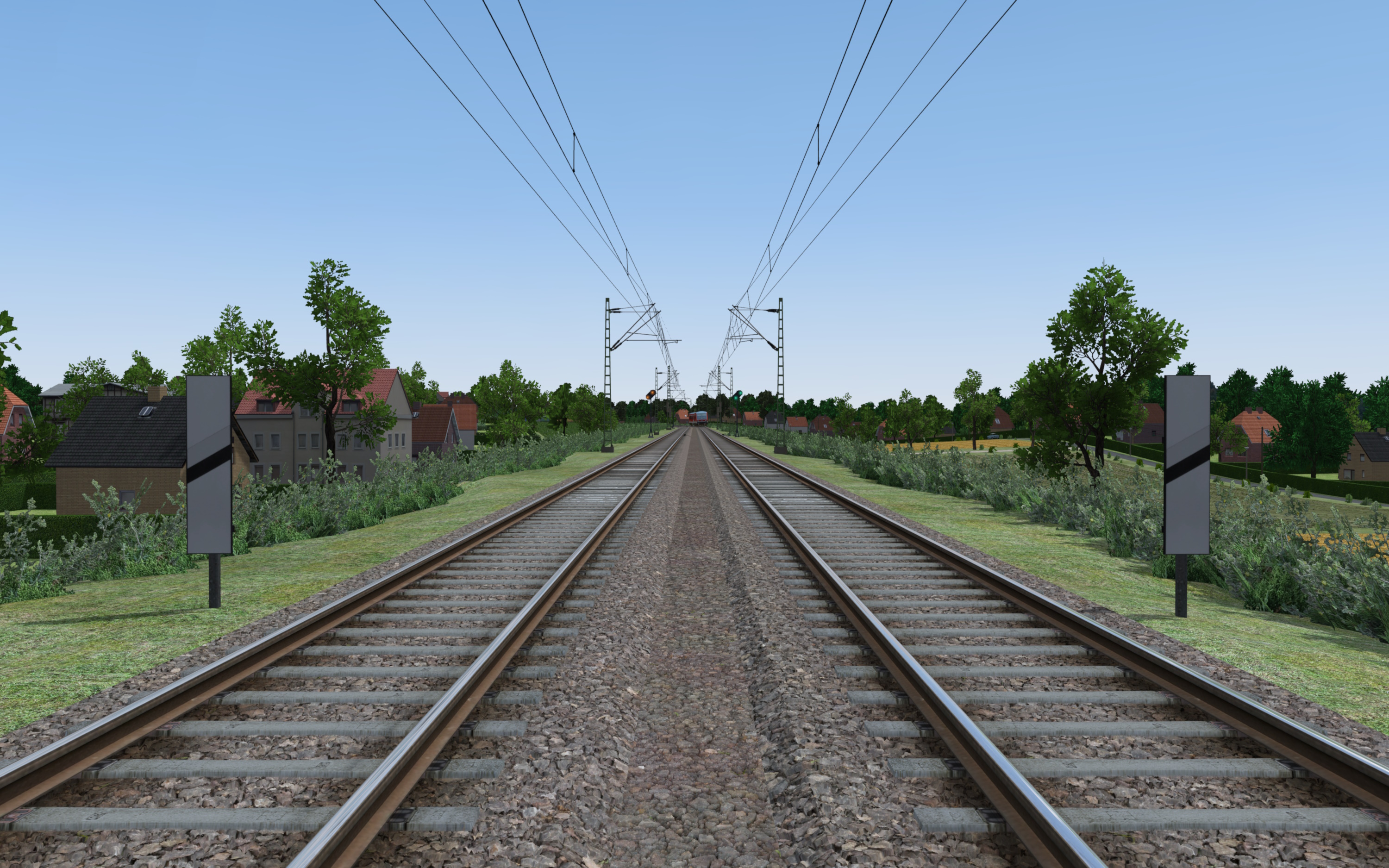
Bilder/Videos:
Dies ist der Kommentarthread zum Addon: KPH Eisenbahnobjekte
Anmerkung:
Ich bin/Wir sind offen für jedwede Art von konstruktiver Kritik. Sie darf mich/uns nicht angreifen und meine/unsere Arbeit nicht herabwürdigen.
Bitte formuliere Deine Kritik an meiner/unserer Arbeit
Da ich mich/wir uns natürlich auch über Lob freue/n, hilft mir/uns ein ausgeglichenes Verhältnis zwischen Lob und Kritik, die konstruktive Kritik besser zu verarbeiten.
---
This is the commentary thread concerning addon: KPH Railway Objects
Please note:
I am/We are receptive to every kind of constructive feedback. It must not hurt me/us and must not diminish my/our work.
Please write your feedback to my/our work so, as to be
Since I am/we are glad about any kind of compliment of my/our work, a balanced ratio of positive and negative feedback is greatly appreciated.

Bei den Anforderungen vermute ich, dass die Anforderung auf dem Gleis das Gleiche ist wie bei den Würfeln, nur für die KI.
Ich glaube, da irrst du dich. Marc hatte es eigentlich richtig beschrieben: Der Gleispfad, der der Ampelschaltung zugewiesen ist, der muss auch als Anforderungspfad markiert werden. Nicht der Pfad davor, nicht irgendwelche anderen Pfade in dem Bereich, wo für den User die Würfel stehen.
Dass KI-Fahrzeuge über rote Ampeln fahren, das konnte ich noch nie beobachten. Was auch immer du mit deinen Haltelinien meinst, ich vermute, da machst du irgendwas nicht ganz richtig. Du weist ein Gleis der Ampelschaltung und der entsprechenden Kreuzungsrichtung zu und dann hält die KI vor diesem Gleis. Wenn rot ist. Die Haltelinie sollte also am Anfang dieses Gleises liegen, oder halt dieses Gleis an der Haltelinie anfangen.
Ich habe derzeit mit Fahrstraßen bei der Eisenbahn einige Probleme angesammelt. Gibt es da schon irgendwelche Lösungen oder Workarounds, auf die ich nicht komme?
1. Fahrstraßenauslösung durch KI bei längeren Haltezeiten
Mein KI-Zug soll auf ein Ausweichgleis fahren, dort zehn Minuten warten und dabei andere Züge auf den durchgehenden Hauptgleisen vorbeilassen. Wenn dieser Halt im Fahrplan als Zwischenhalt mit entsprechender Wartezeit definiert ist, wird die Fahrplanlage des Zuges in Anfahrt auf diesen Halt allerdings nur nach der Abfahrtszeit ausgerichtet. Bedeutet, der Zug erreicht das Einfahrsignal an sich pünktlich in Bezug zur Ankunftszeit im Fahrplan, laut Lotus aber mit einer Verfrühung von knapp zehn Minuten, wodurch das Einfahrsignal noch nicht schaltet. Der Zug blockiert also für die nächsten acht Minuten die Hauptstrecke, ehe Lotus ihm eine Verfrühung von unter zwei Minuten bescheinigt und das Signal auf Fahrt stellt. Dadurch ist der Zug nun auch spät genug, um sofort die Ausfahrstraße auszulösen, wodurch es anderen Zügen unmöglich ist, ihn zu überholen.
Ist dieser Halt als letzter Halt der Fahrt und erster Halt der Folgefahrt definiert, dann entfällt die Problematik am Einfahrsignal. Der Zug fährt auch laut Lotus pünktlich auf das Ausweichgleis. Dadurch löst er dort allerdings bereits die Ausfahrstraße aus, weil er deren Aktivierungsfahrt ja bereits mit unter zwei Minuten Verfrühung befährt. Zwar wird die Fahrplanlage beim Anhalten und Fahrtwechsel auf -10 hochgesetzt, die Fahrstraße ist zu diesem Zeitpunkt aber bereits aktiv und blockiert ebenfalls jeglichen ausfahrenden Zugverkehr von der Hauptstrecke (oder jedem anderen Gleis) in diese Richtung. Man kann hier mit den Fahrzeiten der Betriebsstellen etwas tricksen, sodass der Zug das Einfahrsignal möglichst mit knapp unter -2 erreicht, während der Einfahrt dann seine Verfrühung auf über -2 ausbaut, und damit zwar die Einfahrstraße, nicht aber die Ausfahrstraße auslöst. Das Scheitert aber in dem Moment, in dem der Zug mal nicht exakt pünktlich ist, und das passiert doch relativ schnell. Insbesondere wenn ich irgendwo mit meinem Userzug mitmische. 
2. Übergänge zwischen Stellwerken
Kann ich irgendwie stellwerksübergreifende Fahrstraßenausschlüsse festlegen? Alles ist gut, solange ich zwischen zwei Stellwerken eine zweigleisigen Strecke im Richtungsbetrieb habe, da sich dabei keine Fahrstraßenausschlüsse zwischen den Stellwerken ergeben. Bei eingleisigen Strecken oder bei Gleiswechselbetrieb wirds problematisch. Da die Fahrstraße vom Asig Adorf zum Esig Bdorf vom Stellwerk Adorf gesteuert wird, die entgegenlaufende Fahrstraße vom Asig Bdorf zum Esig Adorf vom Stellwerk Bdorf, erkennen die Lotus-Fahrdienstleiter leider nicht, dass sie nicht beide Fahrstraßen zugleich einstellen sollten. Das ließe sich umgehen, indem man stattdessen ein einziges Stellwerk für die gesamte Strecke erstellt, da meine Bahnhöfe aber teilweise bereits in sich absurd viele Fahrstraßen besitzen, halte ich das für keine sinnvolle Idee. Die Fahrstraßenfenster laden jetzt schon bei jeder Aktion gefühlt Jahrhunderte und die Farhstraßenausschlusstafel ist nicht zoombar. Ich habe etwas mit den Prüfgleisen herumprobiert, aber leider noch keine geschickte Variante zur Platzierung gefunden, die Frontalzusammenstöße sicher verhindert und gleichzeitig den normalen Betrieb nicht über Gebühr behindert.
3. Fahrstraßeneinstellung bei mehreren Zügen auf den Aktivierungspfaden
Bei Blockabschnitten mit etwa 1000 Metern Länge befindet sich am Standort des Hauptsignals in der Regel bereits das Vorsignal des nächsten Blocks. Um nicht ständig nur auf Vr0 zu fahren, müssen die Aktivierungspfade des folgenden Hauptsignals bereits vor dem vorherigen Hauptsignal beginnen. Ist das folgende Hauptsignal kein einfaches Blocksignal, sondern beispielsweise das Esig eines mehrgleisigen Bahnhofs, kann es sein, dass davor ein Zug zum Halten kommt, weil sein Zielgleis noch besetzt ist. Ein etwaiger Folgezug würde also vor dem Blocksignal davor halten und befindet sich damit bereits auf den Aktivierungspfaden des Esigs. Ist sein Zielgleis nicht belegt, dann wird am Esig bereits seine Fahrstraße eingestellt und das Hauptsignal zeigt einen Fahrtbegriff, obwohl der direkt davorstehende erste Zug noch gar keine Einfahrt bekommen sollte. Nichtsdestoweniger wird er in diesem Fall gemäß Signalbild einfahren und sich die falsch liegenden Weichen von Hand stellen, was entweder zu einem großen oder zu einem größeren Konflikt mit dem bereits auf dem Zielgleis befindlichen Zug führt. Im Idealfall steht eine halbe Stunde später meine gesamte Strecke still. Hier habe ich überhaupt keine Idee, wie man das lösen könnte, ohne sich an jedem Signal eine 1000Hz-Beeinflussung zu fangen, selbst wenn der Folgeblock eigentlich frei ist.
4. Rangierfahrstraßen ohne Hauptsignal
Stellenweise würde ich gerne Rangierbewegungen zum Beispiel bis zur Rangierhalttafel kurz vorm Esig und zurück realisieren. Das Hin geht sehr gut, Rangierfahrstraße vom Asig, Asig und Signalpos entsprechend konfigurieren, fertig. Zurück bereitet mir Kopfschmerzen, da hierbei als Startpunkt ein Zwergsignal dienen soll. Rangierfahrstraße und Signal konfigurieren geht auch gut, am Signalpos-Würfel scheitere ich. Stelle ich dort keinen hin, dann Rangiert meine Rangierabteilung munter mit oder ohne Fahrstraße zurück in den Bahnhof und richtet dabei mitunter allerlei Unheil an. Stelle ich dort einen Würfel hin und füge die Rangierfahrstraße hinzu, dann bleiben auch alle von der freien Strecke einfahrenden Züge davor stehen, da diese zwar die Einfahrstraße auslösen, nicht aber die Rangierfahrstraße. Selbst wenn sie diese Rangierfahrstraße mit anfordern, kann diese nicht eingestellt werden, da sie sich mit der bereits eingestellten Einfahrstraße ausschließt. Fügt man im Gegenzug die Einfahrstraße diesem Würfel noch einmal hinzu, hilft auch das nicht, da die Einfahrstraße seit Vorbeifahrt am Esig bereits als besetzt und nicht neu einstellbar gilt. Kann man dem Würfel wie Signalen auch irgendwie den Unterschied zwischen "aktiv" und "aktiv und keine Gleisbelegung" vermitteln?
5. Fahrstraßen mit mehreren Zulaufwegen
Quasi das Gegenteil zu drittens. Führen mehrere Strecken vor dem Signal zusammen, dann würde ich gerne dieses Signal auch von allen Strecken aus aktivieren können. Aktivierungspfade können aber nur als eine einzelne zusammenhängende Linie verlegt werden, sonst kommt völlige Grütze heraus. Gut, ich habe den Fall, dass ein Hauptsignal direkt hinter einer Weiche steht, nicht auf meiner Map verbaut. Die Situation, dass ein Vorsignal an oder noch vor einer Streckenzusammenführung stehen muss, sodass derzeit alle Zugfahrten außer auf der wichtigsten Hauptstrecke in jedem Fall eine Zugbeeinflussung kassieren. Unschön.
6. Auflösen von Fahrstraßen bei fehlendem Bedarf
Das ist jetzt eher ein Wunsch an die Entwickler als ein umbastelbares Problem, vermute ich. Wenn sich mal wieder Züge irgendwo festgefahren haben, hilft nur eine Zeitumstellung, um alle wieder zurückzusetzen. Oft zumindest. Manchmal spawnen auch Züge dann plötzlich rückwärts oder abseits ihres eigentlichen Fahrtweges? Egal. Das Despawnen von Zügen von bereits belegten Fahrstraßen scheint als Gleisfreimeldung zu zählen und die Fahrstraße aufzulösen. Wurde die Fahrstraße allerdings nur aktiviert und noch nicht befahren, bleibt sie nach dem Despawn des Zuges eingelegt. Im günstigsten Fall wird der Folgezug sie frei fahren und anschließend geht wieder alles seinen Gang, wenn der Folgezug allerdings durch die eingestellte Fahrstraße selbst an der Ein- oder Weiterfahrt gehindert wird, etwa bei Wendemanövern in Kopfbahnhöfen, oder weil er den gleichen Bahnhofskopf vorher auf einer nicht konfliktfreien Fahrstraße in die Gegenrichtung durchfahren muss, um anschließend heimlich hinter dem Mapende zu wenden, dann fürt das über kurz oder lang wiederum zur Betriebseinstellung der gesamten Strecke. Und man spielt ja doch hin und wieder mal an der Uhr rum, die Gefahr ist also durchaus real. Schön wäre also ein Feature, dass nicht (mehr) angeforderte und nicht belegte Fahrstraßen irgendwann hilfsauflöst.
7. Bahnübergänge und verzögerte Fahrstraßen
Der BÜ schließt ja erst mit Aktivierung der jeweiligen Fahrstraßen. Das ist bei zugbedienten Anlagen relativ gut umsetzbar, der BÜ kriegt seinen eigenen Fahrstraßenbezirk (es gibt ja erst knapp hundert auf der Map, da macht das einer mehr oder weniger auch nicht mehr unübersichtlicher), bei Belegung der Fahrstraßen schaltet der BÜ und das Überwachungssignal geht an oder halt nicht. Fahrstraßenabhägige BÜ dagegen sind gerade in Bahnhofsnähe ziemlich unschön anzuschauen. Die Ausfahrstraße wird eingelegt, das Signal geht auf Fahrt, dann beginnt der BÜ mit seiner Sicherung, und in dem Moment, in dem die Schranken endlich geschlossen sind, ist der KI-Zug schon über alle Berge. Da es sich in meinem konkreten Fall um einen wendenden Zug mit längerem Aufenthalt am Bahnsteig handelt, ist ein Sichern des BÜs über eine reine Belegungsabfrage eher ungünstig, da der BÜ sonst im Zweifel eine halbe Stunde geschlossen ist, ehe der Zug wieder ausfährt. Kann ich hier vielleicht irgendwie geschickt mit den Fahrstraßen tricksen und die Abfahrt des Zuges irgendwie künstlich hinauszögern, sodass der BÜ Zeit zum Schließen hat?
Das offensichtliche Problem, dass der KI-Zug über den noch ungesicherten BÜ rauscht besteht natürlich nur, wenn der folgende Blockabschnitt davor noch belegt war. Ansonsten wird die Fahrstraße ja bereits zwei Minuten vor Abfahrt eingelegt und der Zug fährt optisch absolut formschön erst nach erfolgter Sicherung des BÜs ab. Die Ausfahrsignale kann ich ja heimlich mit einem Scripttimer versehen, sodass die erst um dreißig Sekunden verzögert auf Fahrt gehen.
8. Anfordern von Fahrstraßen durch die KI
Ich habe leider immer noch nicht wirklich begriffen, wie die KI nun entscheidet, welche Fahrstraßen sie anfordert und welche nicht. Ich habe immer wieder das Problem, dass einige Linien einige Fahrstraßen nicht anfordern, obwohl sie diese wirklich exakt befahren und andere Linien sie problemlos passieren. Manchmal hilft ein Aktualisieren der Strecken oder Wege im Fahrplaneditor, manchmal ein bloßes Öffnen und Schließen der Strecke, manchmal ein Löschen und Neuanlegen der Linie mit ihren Strecken und Wegen, manchmal ein Öffnen und Schließen oder Neuanlegen der betroffenen Fahrstraße, und manchmal auch gar nichts. Im allerbesten Falle verschwinden während des frustrierten Herumprobierens auch bereits vorhandene Fahrstraßenanforderungen einfach wieder aus der Liste. Hilfe. Hier bin ich wirklich völlig überfordert. Wie kann sowas passieren, und was könnten Ansätze sein, wie man das vermeidet? Einfach stumpf die Signalpos-Würfel zu löschen, damit der KI-Verkehr überhaupt fließt, ist eine sehr schlechte Lösung.
Ich habe schon festgestellt, dass das manuelle Hinzufügen von Weichen zu Fahrstraßen, etwa aus Flankenschutzgründen, dazu führt, dass diese Fahrstraßen nicht mehr von der KI angefordert werden, auch wenn sich sonst nichts geändert hat. Aber das scheint nicht das einzige Problem zu sein.
Hinzugefügt
- Gut
- Nein, das ist ein normaler Modulslot
- Derzeit nicht
- Nein
Die Hecken gehen bei mir sehr gut, dafür ist die Nadelbaumspline bei mir im Editor stets schwarz. Spannenderweise werden auch alle anderen neugesetzten Vegetationssplines schwarz, wenn sich eine dieser Nadelbaumsplines auf der gleichen Kachel befindet. Das habe ich aber im Spiel noch nicht ausprobiert, weil ich diese Spline immer lieber wieder gelöscht habe.
Kannst du dafür nicht die Hallenwandspline verwenden? Im Grunde tuts auch jede Mauerspline.
Ossi on Tour Hoppla, ging unter. Verzeihung. Nur die kahle Halle ohne alles? Da kannst du eigentlich auch deine Splinekonstruktion behalten. Vom Betriebshof Mickten gibts eine flache Dachspline, die du noch draufpappen kannst, und dann hast du doch schon eine passable und individuelle Halle fertig.
Für den Autoverkehr finde ich das noch recht leicht gelöst. Da kann man ja ziemlich gut die Trennung schon vorziehen und beide Pfade dicht nebeneinander weiterführen. Sieht man ja nicht.
Bei der Straßenbahn, die ihre Weiche erst weit hinter der Haltelinie hat, sieht man das leider schon. Dafür habe ich auch keine Idee.
Rechtsabbieger mit Blechpfeil kriegen bei mir intern statt der Phase "rot" eine der Ampel-aus-Phasen und eine niedrigere Vorfahrtspriorität. Dann halten sie zwar nicht vor der Ampel kurz an, aber ganz unrealistisch ist das nicht.
Dem möchte ich mich anschließen. Wendeschleifen rückbauen wird man in Dresden nicht. Auch bei Verspätungen wird in der Regel niemand direkt umsetzen, zumal im normalen Betrieb bei den Zweirichtern die Türen auf der linken Seite mechanisch dauerverriegelt werden.
Hauptgrund für die Beschaffung von Zweirichtern ist meines Erachtens ausschließlich Baustellen- und (längerfristiger) Umleitungsverkehr. Dabei kommt es dann durchaus vor, dass doch mal keine Wendeschleife in der Nähe liegt und dementsprechend mit Zweirichtern über einen Gleiswechsel gewendet wird. Es kam auch schon vor, dass sogar extra dafür ein neuer Gleiswechsel in Baustellennähe eingebaut wird. Das ist schneller mal gemacht, als eine neue Wendeschleife zu errichten.
In den letzten Jahren kam das zum Beispiel viel auf der Linie 11 vor, die lange Zeit baubedingt nur bis zum Waldschlösschen fahren konnte und dort über einen Gleiswechsel wendete, kurzzeitig pendelte sie sogar als Baulinie 41 Waldschlösschen <> GVZ zwischen zwei Kopfendstellen. Als dann kurzzeitig gleichzeitig noch mit Zweirichtern zwischen Wölfnitz und Gorbitz gependelt werden musste, reichten die nur 13 Zweirichtungsfahrzeuge kaum aus.
Einen einzigen regelmäßigen ZR-Einsatz gibt es, und zwar wird die sonntagsmorgens verkürzt verkehrende 8 (der sogenannte Buschexpress) zwischen Hellerau und Infineon Süd planmäßig mit einem Zweirichter gefahren. Da in der Gleisschleife Infineon Süd nicht so direkt von Hellerau kommend nach Hellerau zurück gewendet werden kann, nutzt man gerne mit dem Zweirichter die eingleisige Strecke zum Kopfmachen. Wenn in Ausnahmesituationen doch mal ein Einrichter auf dem Buschexpress unterwegs ist, muss der immer ziemlich umständlich über das Gleisdreieck wenden.
Das betrifft aber bisher alles eher die NGT6DD-ZR-Fahrzeuge. Der dicke DX ist für solche Scherze noch nicht ganz flexibel genug einsetzbar. Tendenziell gibt es aber auch auf der Linie 2 Gleiswechsel im Bereich der Gorbitzer Trasse und an der Zwinglistraße. Sollte die Linie dort mal geteilt werden müssen, dann kann man das jetzt trotzdem mit DX-Fahrzeugen bedienen und ist nicht mehr auf die alternden und im Vergleich sehr kleinen NGT6DD festgelegt.
Zum Thema Geschwindigkeitsbeschränkungen in Kurven möchte ich gerne aus Dresdner Perspektive eine Gegenmeinung zu Florians und Yufas Aussagen darstellen. Hier werden Kurven in der Regel nicht mit Geschwindigkeitsbeschränkungen versehen, auch wenn sie nicht mit 50 befahren werden sollten. Man verweist eher wie beim Auto auf das Sichtfahrgebot. Wenn Bäume oder Hecken am Gleis die Sicht auf die Strecke einschränken, obliegt es dem Fahrpersonal, die Kurve so zu befahren, dass vor einem Hindernis angehalten werden könnte. Genauso ist das Fahrpersonal selbst dafür zuständig, in der Fahrweise die nötige Rücksicht auf Fahrgastkomfort und -sicherheit an den Tag zu legen. Das muss, anders als bei der Eisenbahn die nicht auf Sicht fährt, nicht extra beschildert werden.
Langsamfahrstellen gibt es in Dresden fast ausschließlich wegen Schäden im oder am Gleis oder dem näheren Gleisumfeld, oder an einigen besonderen Unfallschwerpunkten, um etwaige Schäden zumindest zu reduzieren. Ausnahmen bestätigen die Regel, es gibt auch hier einzelne Stellen, an denen vor allem das Sichtfahrgebot durch entsprechende Signalisierung durchgesetzt wird (der Fahrgast und sein Wohlbefinden sind nicht sicherheitsrelevant und daher vernachlässigbar  ). Der Großteil aller Kurven ist jedoch unbeschildert und dürfte damit theoretisch mit 50 befahren werden.
Vielleicht könnte man auch mal darüber nachdenken, diese Reservierungsbegrenzung ganz abzuschaffen. Das ist doch ein Relikt aus der Zeit, als sich Reservierungen noch gegenseitig ausschlossen. Da mittlerweile jeder überall reservieren kann, ohne andere zu behindern, sehe ich keinen Grund mehr, warum man das weiterhin einschränken sollte.
 Deutsch
