

Object visiblity settings in content tool?

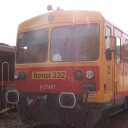
  • I have a problem with a vehicle of mine. I want the driver cab models to only be visible in cab view, so in outside and passenger view they shouldn't be visible.

    I have these settings for the mesh:


    If I play with the visiblity variables in the test enviroment menu, it works fine, but in LOTUS they are always visible. Should I tick the "reduced mesh" too, or is there some other setting I should set?

  • The reduced meshs options are exactly what you need to check. These options are meant to override the reduced meshs, e.g. for filming videos where you want to use exceptional points of view without reduced quality.

  • If I tick the "is reduced mesh" with the same settings (eg. only the cabs are ticked, in all cars) then the model is not visibly from any view.

    What settings should I use to achieve what I wrote? Reduced mesh and tick the views the model is shown, or tick the views the model is not shown or what combination?

  • Sorry I misunderstood you. You need to check the "use reduced meshs" option ingame in order to "hide" those meshs.

  • Newly created posts will remain inaccessible for others until approved by a moderator.

    The last reply was more than 60 days ago, this thread is most likely obsolete. It is recommended to create a new thread instead.

    The maximum number of attachments: 5
    Maximum File Size: 500 kB
    Allowed extensions: bmp, cfg, ini, jpeg, jpg, lct, ldl, llg, lob, log, lpmtl, lptmt, ltx, pas, pdf, png, railtrack, rar, txt, veh, wav