Hello,
I am trying to get the normal map to work. I have it set as dds or bmp, but when applied it does not change the model, any idea why?
Thanks!
Hello,
I am trying to get the normal map to work. I have it set as dds or bmp, but when applied it does not change the model, any idea why?
Thanks!
I'd come up with two things you might want to check out.
First one is the type of material, but you will surely have it right.
Second is the "Intensity of normal texture" maybe the value is still "0"?
I hope this will help you, if not please post a screenshot of your material properties.![]()
Edit: Even another idea. There is also a setting on the Graphics tab. This option may not be enabled.
Display MoreI'd come up with two things you might want to check out.
First one is the type of material, but you will surely have it right.
Second is the "Intensity of normal texture" maybe the value is still "0"?
I hope this will help you, if not please post a screenshot of your material properties.
Edit: Even another idea. There is also a setting on the Graphics tab. This option may not be enabled.
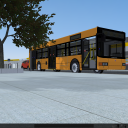
Hello, I got it working thanks! Attached is an example on the pavement!
Hello,
I am having currently the same issue. Linked the normal map (DDS in DXT1 format), choose the correct type of material (Complex with normal map), set the "Intensity of normal texture" to 1, also added an AO, set his intensity also to 1, checked the in-game options, but nothing happened.
Please try using BMP instead of DXT1.
Newly created posts will remain inaccessible for others until approved by a moderator.
The last reply was more than 60 days ago, this thread is most likely obsolete. It is recommended to create a new thread instead.